



Update your my Lotus’s mobile number in 1 minute!
Update your my Lotus’s mobile number in 1 minute!


Forgotten mobile numbers are no longer a problem! Update your my Lotus’s membership yourself in 4 easy steps. Just enter your ID card details and new number. All benefits remain intact
New Number, Same Coins! How to Update Your my Lotus’s Mobile Number Yourself
We’ve all been there: You want to check your coins or use a discount coupon at Lotus’s, but you "can't remember the old mobile number" you used to sign up. Fixing it usually means a long, frustrating wait for a Call Center agent.
Today, my Lotus’s has heard you! We’ve upgraded our system to provide ultimate convenience. You can now update your mobile number yourself through our online channel in just a few taps. We ensure all your benefits stay complete and continuous.
Why should you update your mobile number with my Lotus’s?
4 Easy Steps to Change Your Number (Even if you forgot the old one!)
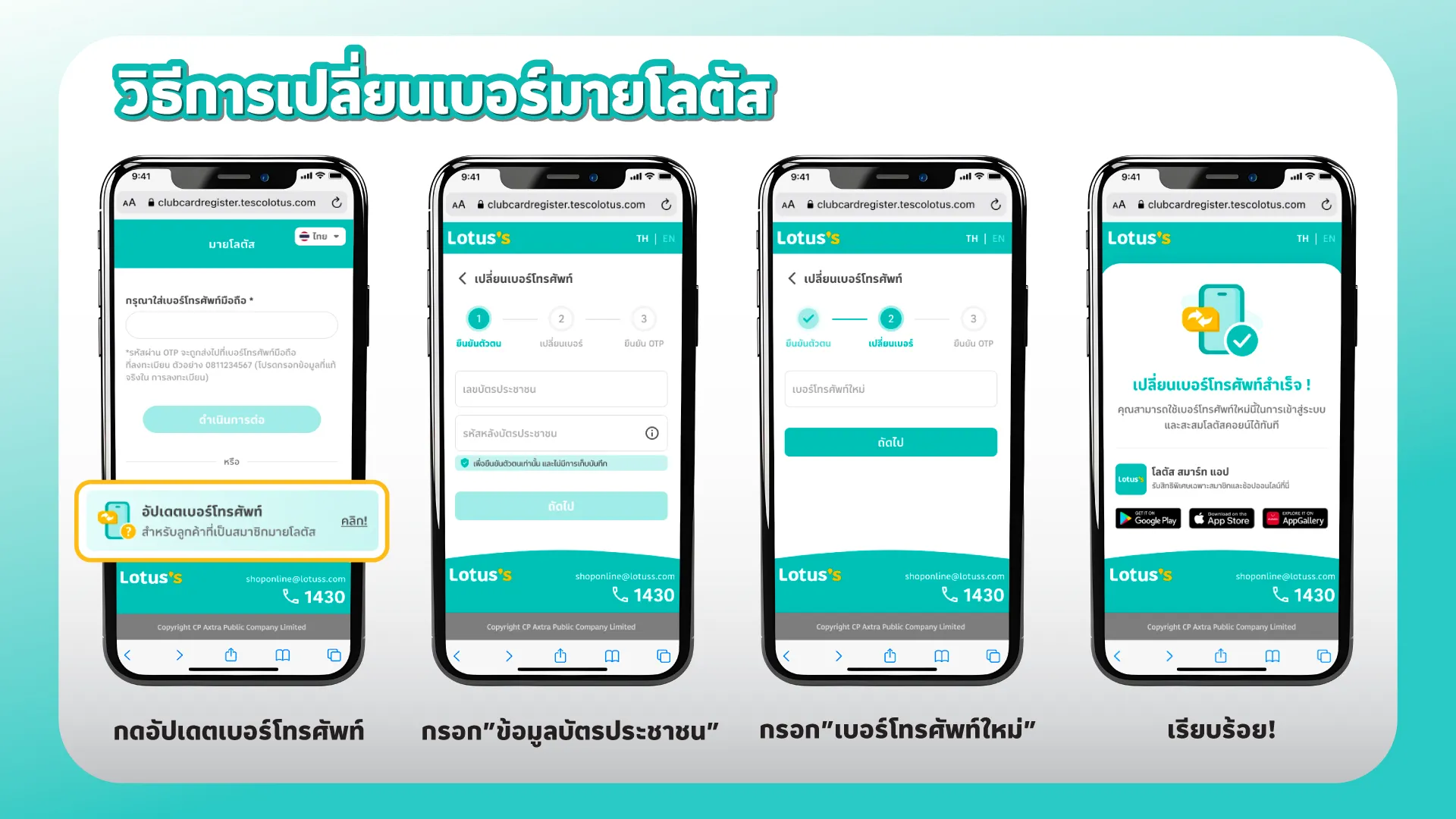
my Lotus’s helps existing members who have lost their old account info to update their profile using only a smartphone and an ID card. Just follow these simple steps:
1. Access the Main Page: Tap the"Update Mobile Number" button.
2. Verify Your Identity: Enter yourID Card Number and theLaser ID(the code on the back of your ID card) for security.
3. Specify New Number: Enter the new mobile number you wish to use instead of the old one.
4. All Done!: Start shopping and collecting coins with your new number instantly. Your existing data and history will be transferred automatically.
"Because your convenience is our priority. Let my Lotus’s make every shopping experience easier than ever."

Nc. Clair
Shopper Guide. Smart Choice. Best Deals. | สรุปทุกความคุ้มค่า ให้การช้อปของคุณสมาร์ทและสนุกกว่าที่เคย

